
Photographs for your business
How to Choose Landscape Photography for Your Business
A photograph above a reception desk has a different job from an image across a website homepage. One will be seen from across a room, alongside furniture, lighting and people. The other may be cropped into a narrow screen with a headline over it. Start with that difference before choosing the picture.
When you are selecting landscape photography for an office, hotel, restaurant or business website, look for a connection between the photograph and the place it will appear. A recognizable coastline, a line of dunes or a view through trees can give you a starting point. The strongest choice is the one that belongs in the setting and works with the other images around it.
Decide what the photograph needs to do
For a reception area, look at the view from the entrance and from the seats where visitors wait. Is the image intended to be a focal point, or part of a quieter background? Note the wall dimensions, nearby windows and the distance from which people will see it.
For hospitality wall art, consider the character of the property. A coastal hotel may have a reason to use shoreline photographs. A restaurant with warm timber and stone may suit a different selection. The connection should make sense for your business rather than following a theme simply because it is popular.
On a website, identify the placement first: an opening image, a section background or a photograph within a story. Landscape imagery can establish a setting or atmosphere. It should not substitute for accurate photographs of the property, rooms, products or services a customer is actually booking.
Choose a theme, then build a small selection
A theme gives the photographs something in common. That could be a place, a range of colors, a pattern in the landscape or the way the light moves through the image. It does not require every photograph to show the same subject.
The Travelscapes collections offer several ways to begin:
Coastal light and a sense of place
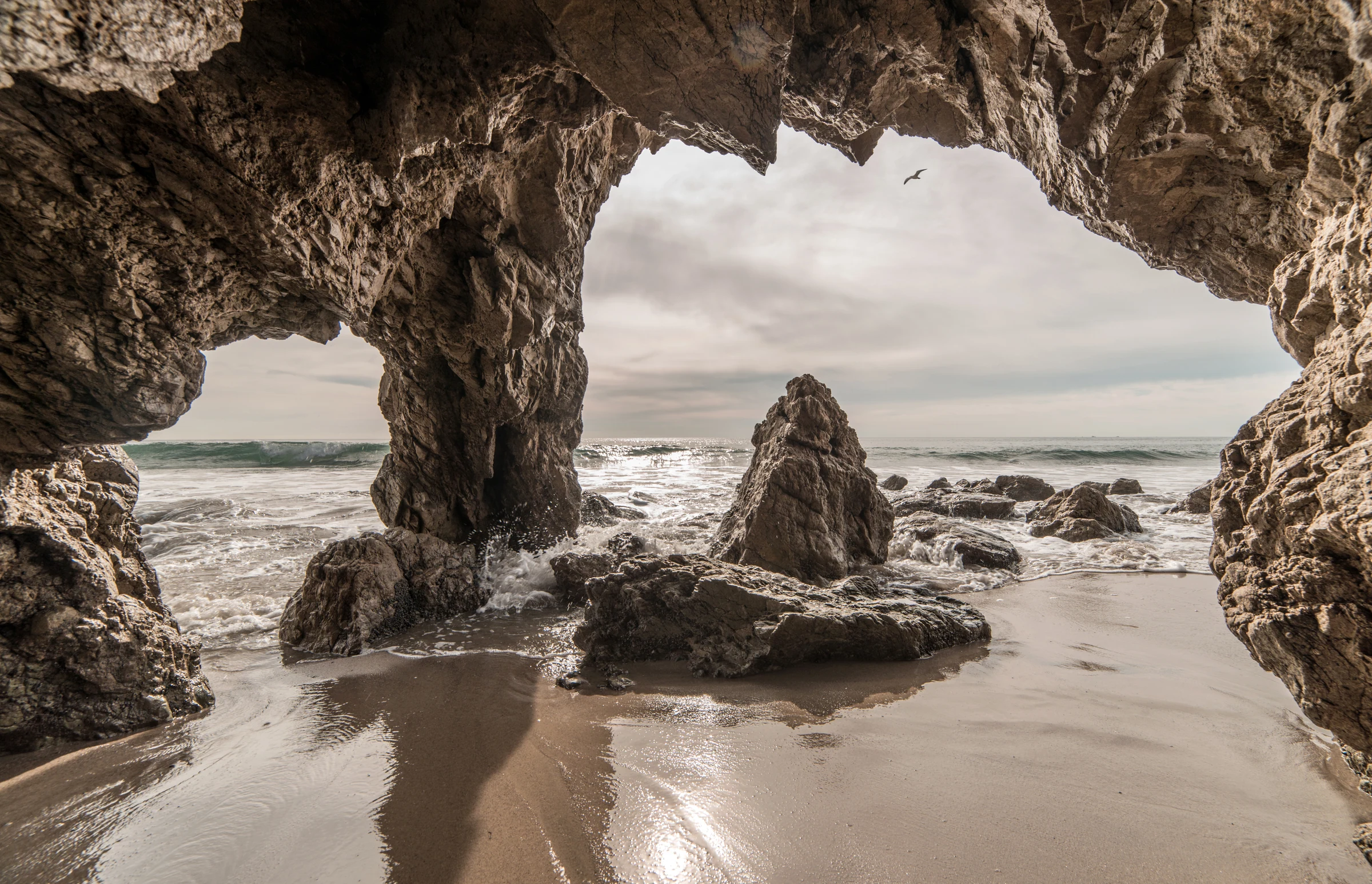
The California Coast collection brings together sea caves, piers, tide pools and the shoreline from Malibu to San Diego. It is a useful starting point when the coast is part of the business's setting or visual identity.
In El Matador Sea Cave, dark rock forms a frame around the lighter sea and sky. The photograph has a strong foreground and a clear opening beyond it. That structure is worth considering alongside other coastal images: do you want a framed view with close detail, or a more open horizon?
If movement is the connection you want, explore Waves. Breaking crests and sea spray create a different rhythm from a still shoreline. Compare the energy of the images together rather than treating all ocean photographs as interchangeable.
Dunes, warm tones and open shapes
The Desert Landscapes collection includes dunes, canyon country and desert skies. Look at the shapes as well as the subject. A repeated ridge line can connect photographs even when their colors differ.
Algodones Dunes is a direct example: pale sand, blue sky and a series of soft curves. Beside the textured rock of the coastal photograph, it shows how much the amount of detail changes the feel of an image. For a wall with several pieces, decide whether you want that variation or a more closely related set.

Forests, water and cooler colors
Mountains & Woodlands offers another direction, with alpine views, forests and places beside the water. It is a broad collection, so choose a particular thread rather than trying to represent everything in it.
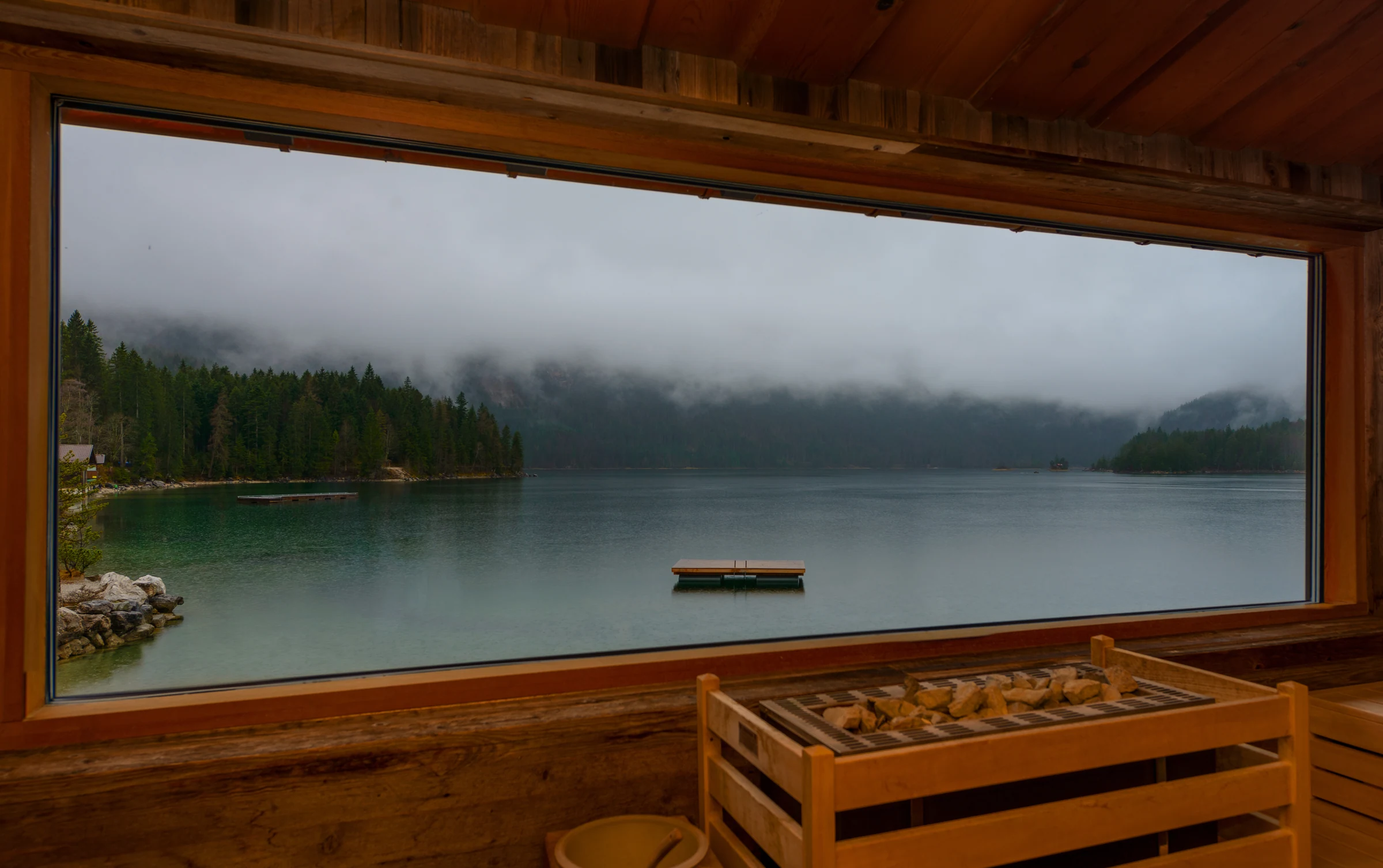
In A Window onto Eibsee, a timber window frames a lake and wooded slopes beneath low cloud. The warm interior and cooler landscape are both part of the photograph. If you are comparing it with an image that has no built foreground, notice how the window changes your relationship to the view.
For a selection organized around tone and texture instead of color, the Black & White collection is another place to look. Monochrome still needs careful selection: a busy scene and a simple horizon will not necessarily work together just because both are black and white.
Plan wall size and website crops separately
For a physical display, mark out the proposed image area on the wall with removable paper or tape suitable for the surface. Look at it from the entrance, from nearby seating and in the room's usual light. Leave space for frames and consider reflections from windows or light fittings.
Bring the available wall measurements and your preferred photographs to the print conversation. Suitable sizes, materials and finishing need to be discussed for the actual image and space. Do not choose a print size solely from how large the photograph looks on a laptop.
For a business website, test the photograph in the real layout on a phone and a larger screen. A wide landscape may lose its main subject in a narrow crop. Text can become difficult to read over water, branches or detailed rock. Ask the designer to show the intended crop and headline together before you settle on the image.
Sometimes a different photograph is the better answer. Keeping a picture intact can matter more than making a favorite fit every placement.
Make the website and the space feel connected
You can carry a theme between a website and a physical space without using the same photograph everywhere. A coastal selection might connect through pale light and a recurring horizon. A woodland selection might connect through darker greens, water and vertical lines.
Set the proposed images beside one another. Remove near-duplicates and look for gaps: perhaps every picture is wide, every scene has the same level of detail, or one image feels unrelated. Give each photograph a reason to be included.
Keep place names accurate. A landscape used to establish a mood should not imply that it was photographed at your hotel or business premises. If a caption or page context could create that impression, identify the actual location.
Keep display and digital use clear
A print for a reception wall and an image for a website are different uses. Travelscapes' prints and licensing information states that physical print purchases do not include reproduction or licensing rights. If you want both a display print and a digital image, describe both uses when you inquire.
For a useful first conversation, bring the type of business, the wall or website placement, approximate dimensions, preferred image references, quantities and timing. For digital use, include where the image will appear. Those details make it possible to discuss the photographs and the scope together.
Begin with a small selection that has a clear connection to your business. Then check each photograph in its intended setting before making the final choice.